
Optimizely Xperience
Optimizely Content Cloud Blogs
Latest from the Blog
- Extending UrlResolver to Generate Lowercase Links in Optimizely CMS 12
 When working with Optimizely CMS 12, URL consistency is crucial for SEO and usability. By default, Optimizely does not enforce lowercase URLs, which can lead to duplicate content issues and inconsistent link structures. In this blog, we’ll explore how to extend UrlResolver to ensure all generated URLs are in lowercase.
 - Building an Interactive Hotspot Editor in Optimizely CMS 12Have you ever wanted to let content editors place interactive hotspots directly on an image—without leaving the CMS? In this post, I’ll walk through how we built a custom Hotspot Module in Optimizely CMS 12 that does exactly that. What We BuiltThis solution allows editors to:* Upload a background image.* Click directly on the imageContinue reading “Building an Interactive Hotspot Editor in Optimizely CMS 12”
- Custom ContentArea Converter for Optimizely CMS 12 in a Headless + PaaS ArchitectureWhen building headless websites with Optimizely CMS 12 using the Content Delivery API, ContentArea properties can be tricky. By default, they return minimal references to nested content—not the rich, expanded content structures modern frontends need. In this post, I’ll walk through how we solved that by implementing a custom ContentArea converter, giving full control overContinue reading “Custom ContentArea Converter for Optimizely CMS 12 in a Headless + PaaS Architecture”
- Enhancing the Authoring Experience: Extending the LinkItem
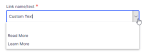 The LinkItem field is one of the most demanded properties by the community, allowing editors to effortlessly create and manage links across pages and blocks. It was introduced on CMS 12 – EPiServer.CMS 12.11.0 and this blog post will show how it can be extended to have a better authoring experience.
 - Optimizely CMS – Allow Forms to Redirect to Media Assets
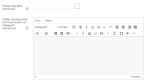 Optimizely Forms is a powerful add-on that can improve the experience for authors to create custom forms as needed with plenty of capabilities. It can be also extensible, so a developer can implement custom form elements and add complex logic to forms to accommodate the user’s needs and the client’s requirements. Forms can be configuredContinue reading “Optimizely CMS – Allow Forms to Redirect to Media Assets”
 - Optimizely CMS 11 – Download Blob items from Production
 This post will walk you through the process of getting the blob assets from production to get the images working locally.
 - Optimizely CMS 12 – Unable to Import Data
 Are you unable to import data from another instance? If you are getting a non-explanatory error message “No file uploaded” when you click on “Upload and Verify File” or “Begin Import”, this post will help you. I exported some content items from a lower environment and I wanted to import them to an upper environment,Continue reading “Optimizely CMS 12 – Unable to Import Data”
 - Restricting Environment Access “/Episerver”
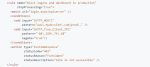 As a web administrator, you would probably want to restrict the editing portal to the public and one way to achieve this is applying rules directly on yout configuration file so the access can be restricted by IP. You probably have read this article from Optimizely (CMS 11) https://docs.developers.optimizely.com/digital-experience-platform/v1.3.0-DXP-for-CMS11-COM13/docs/restricting-environment-access where it describes how you canContinue reading “Restricting Environment Access “/Episerver””
 - Hide Field From Local Block
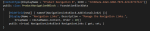 There are times when you have a local block that is shared across multiple blocks or pages and you want to hide a specific field based on the content type. Here is a guide on how you can achieve this with a custom attribute.
 - Optimizely Forms Issue with Claims
 This is a quick fix for an Optimizely Form issue when your implementation integrates Azure AD with OpenID Connect to sign-in/sign-out users on your application.
 - Invalidate Cache After Publishing
 In order to improve performance and enhace the page loading time while using Search and Navigation, Optimizely provides an extension to cache the search results for a specific period of time. StaticallyCacheFor lets you store your query results, using a timestamp, in a cache with an auto-generated key. Once the defined timestamp has reached, theContinue reading “Invalidate Cache After Publishing”
 - Allowed Types By Interface
 Sometimes, you will have a flexible content area where you will be able to add a large number of blocks. In this blog post, I will show you how you can replace a large list of allowed types in a property by using an interface.
 - Exact Time Picker
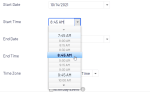 Time picker field is always useful when authors need to manage the time separated from the date. Episerver stores dates as UTC and it dynamically displays the datetime of the content editor’s machine but what happen if time zone is also managed as a separated field. In this post I will show you how canContinue reading “Exact Time Picker”
 - Add Link to Edit Media Asset Fields
 Finding a media asset sometimes can be challenging if the management is not well-done. Use an EditorDescriptor to let your content authors find you assets easily.
 - Date Range Facets
 Faceted search adds powerful search functionality to websites and allows web users to narrow down the results in a listing page, letting the users find what they really want. Sometimes, we need to add a date range facet as part of our search page. This post will give you some guidance on how to create facets based on DateTime fields using Episerver Search & Navigation (formerly called Episerver Find).
 Optimizely Developer Blog